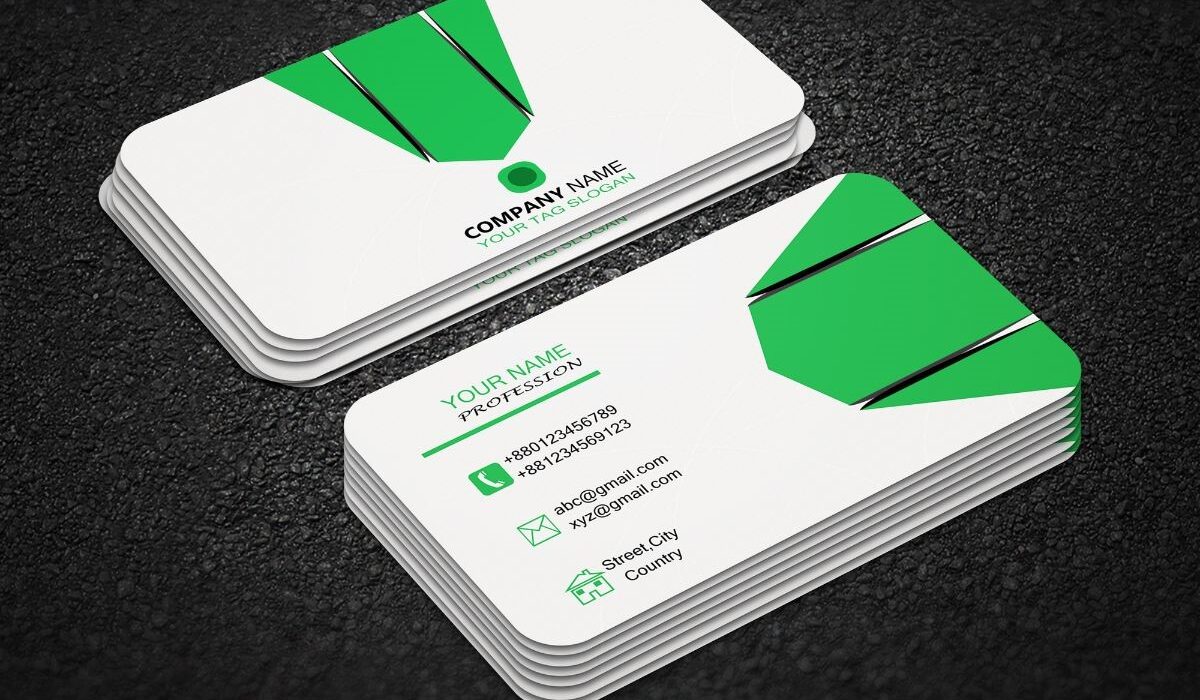
Despite the rise of digital networking tools like LinkedIn and email signatures, business cards remain one of the most powerful tools in the professional world.
A thoughtfully designed business card doesn’t just share your contact information, it communicates credibility, leaves a lasting impression and can even drive future opportunities.
But not all business cards are created equal. Handing out a generic, cluttered or poorly printed card could hurt more than help your reputation. In this guide, we’ll cover the most effective business card best practices, packed with practical examples and real-world insights.
Keep the design clean and focused
Clarity beats creativity—especially when you’re introducing yourself for the first time. Many people try to stand out by filling their business cards with flashy graphics, too many fonts or multiple taglines. This only creates visual clutter.
Practical tip:
Use one strong font for headings (like your name) and a clean, readable font for body text. Limit your card to 2–3 colors that reflect your brand.
Example:
Jane, a freelance graphic designer, initially had a colorful card with illustrations and five different fonts. After simplifying the layout and switching to a monochrome theme with her logo and portfolio link, she noticed people spent more time reading her card and started calling back.
Include only the essentials
You don’t need to tell your entire story on a 3.5″ x 2″ piece of paper. Stick to critical information only.
Must-have items:
- Your full name
- Job title (e.g., “Content Strategist” or “Web Developer”)
- Company name (or personal brand name)
- Email address
- Phone number
- Website or portfolio
- Logo (if you have one)
Optional but powerful:
- QR code linking to your calendar, LinkedIn, or online portfolio
Real-world insight:
Freelancers often list too many services. Instead, add a clear title like:
“Content Writer Specializing in SEO for Small Businesses”
This instantly communicates value and expertise.
Invest in high-quality materials
Think of your card as a silent representative of your brand. A flimsy, low-quality card sends the message that you cut corners, even if your services are premium.
Common paper options:
- 16pt matte finish (clean and smooth)
- Linen texture (adds a tactile, classy touch)
- Soft-touch velvet (luxurious feel, great for creatives)
Finishing ideas:
- Spot UV for highlighting text or logos
- Embossing for a 3D texture
- Foil stamping for luxury appeal
Example:
David, a real estate consultant, upgraded from standard glossy cards to thick matte cards with gold foil on his name. He reported a 30% increase in call-backs after handing these out at networking events.
Make sure it matches your brand identity
Your business card should feel like a miniature version of your brand. That means your colors, fonts, logo and tone must be consistent with what people see on your website and social media.
Practical example:
If you’re a wellness coach, soft earth tones and clean, minimal design convey calm and professionalism. If you run a tech startup, you might use sleek, modern fonts and a clean layout with bright accents.
Tip:
Use a brand style guide or Canva template to stay consistent across platforms.
Use the back of the card strategically
The back of your business card is valuable real estate. Don’t leave it blank unless you want space for someone to write notes.
Ideas for the back:
- A QR code leading to your online scheduler
- A brief client testimonial
- A tagline or mission statement
- Icons for social media handles
- A discount code for first-time clients
Example:
Susan, a personal trainer, added a QR code on the back of her card linking to a free “7-Day Fitness Plan.” This gave her contacts instant value and helped her stand out from the competition.
Proofread every detail
Nothing ruins credibility like a typo or outdated email address. Even one wrong digit in your phone number can lead to a lost opportunity.
Checklist before printing:
- Correct spelling of your name and job title
- Active email and phone number
- Accurate website URLs
- Updated job role or company name
- Matching fonts and consistent spacing
Tip:
Print a test batch before ordering 500 cards. Show it to a colleague or friend for feedback.
Don’t overuse templates
While platforms like Canva and Vistaprint offer handy templates, many are overused. That means your card might look exactly like someone else’s at a conference.
Solution:
Customize the template thoroughly, adjust fonts, layouts, colors and content. Better yet, hire a freelance designer or invest in a bespoke design.
Example:
Liam, a financial advisor, used a stock template that several others in his network also used. After working with a designer to create a custom layout using his own branding, his card finally looked distinct and clients began to take him more seriously.
Make your card readable
Avoid design mistakes like tiny fonts, low contrast or overly stylized text. Remember, people often glance at cards quickly or even in low-light environments.
Tips:
- Use a minimum font size of 9–10pt
- Maintain high contrast between text and background
- Avoid script or novelty fonts except in logos
Test it:
Print your card and ask a few people: Can they read it easily in 5 seconds?
Carry your cards everywhere
The best business card is the one that’s available when the opportunity strikes. Always carry a small stack in your wallet, phone case, car, or bag.
Tip:
Use a cardholder to keep them clean and unbent. First impressions count handing someone a smudged or wrinkled card undermines professionalism.
Business cards are far more than a formality, they’re a reflection of your professionalism, attention to detail,and brand. When done right, a business card can spark conversation, initiate partnerships and turn a handshake into a business deal.

Author: Moureen Koech
Moureen Koech is a passionate Digital Journalist, an adept Agribusiness Writer with a keen eye for news and an impactful story-teller,whose stories provide key value to Agripreneurs and stakeholders in the Agricultural sector