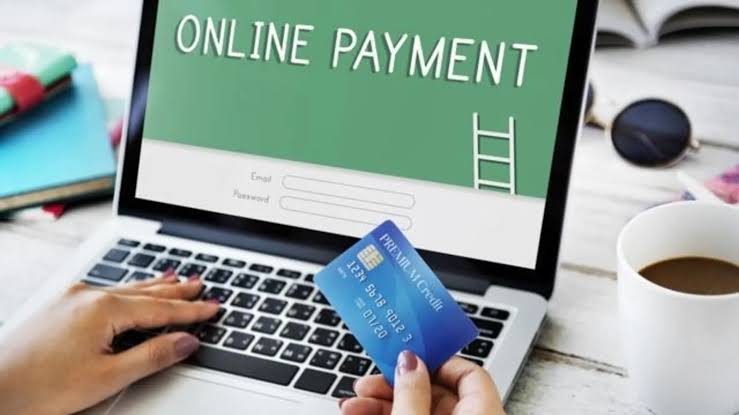
In today’s digital world, accepting online payments is no longer optional. Whether you’re selling products, services or digital downloads,offering secure and convenient payment options increases your chances of closing a sale and building trust with your customers.
Why Accepting Online Payments Is Important
Online payments make it easier for your customers to pay quickly, safely and on their own time. In fact, most consumers expect businesses to offer digital payment options such as credit cards, PayPal or even mobile wallets like Apple Pay and Google Pay.
By accepting payments online, you can:
* Reach more customers globally
* Increase sales with faster transactions
* Offer more flexible payment options
* Automate your payment process
Step 1: Choose a Payment Gateway
A payment gateway is a technology that connects your website or app to the financial institutions that process payments. It securely transfers payment information from your customer to your merchant account or bank.
Popular payment gateways include:
* PayPal
* Stripe
* Square
* Authorize.Net
* Razorpay (popular in India and Asia)
When choosing a gateway, consider:
* Transaction fees
* Setup costs
* Supported currencies and countries
* Payment methods accepted (credit cards, e-wallets, etc.)
* Ease of integration with your website or eCommerce platform
Step 2: Set Up a Merchant Account (Optional)
A merchant account is a bank account that temporarily holds customer payments before they are transferred to your business account. Some payment processors like Stripe and PayPal act as both the gateway and merchant account, so you may not need to set one up separately.
However, if you plan to process a high volume of payments or want more control over funds, getting a dedicated merchant account could be beneficial.
Step 3: Integrate the Payment Gateway with Your Website
After choosing a payment gateway, you need to integrate it into your website, app or online store.
Most eCommerce platforms like Shopify, WooCommerce, Wix and BigCommerce offer built-in integrations with popular payment providers. If you’re using a custom website, your developer can use API documentation provided by the payment processor.
Integration methods include:
* Hosted checkout pages (redirects users to a secure payment page)
* Embedded forms (users pay directly on your website)
* Mobile SDKs for apps
Make sure the integration is:
* Mobile-friendly
* SSL secured (use HTTPS)
* Easy to navigate for customers
Step 4: Offer Multiple Payment Options
Different customers prefer different payment methods, so try to offer a few options to improve conversion rates. Common payment methods include:
* Credit and debit cards
* Digital wallets (PayPal, Apple Pay, Google Pay)
* Buy Now, Pay Later (Afterpay, Klarna)
* Bank transfers
* UPI or mobile wallets (especially for regions like India)
The more options you provide, the more likely customers are to complete their purchase.
Step 5: Set Up Invoicing or Payment Links (For Service-Based Businesses)
If you don’t have a full online store, you can still accept payments by sending payment links or digital invoices to customers. Many tools offer this feature, including:
* PayPal Business
* Stripe Invoicing
* QuickBooks
* Square
You simply enter the customer’s information, the amount due, and the system sends a secure link where they can pay by card or wallet.
Step 6: Ensure Payment Security and Compliance
Security is critical when handling customer payment data. Make sure your system is:
* PCI-DSS compliant (Payment Card Industry Data Security Standard)
* Using SSL encryption (your site should have HTTPS)
* Updated with secure payment APIs
Also, be transparent with customers about how their data is used and protected. Add a privacy policy and terms of service on your website.
Step 7: Monitor Transactions and Manage Payments
Once you start accepting online payments, regularly review your:
* Sales and payment reports
* Refunds and chargebacks
* Payout schedule (how often you receive your funds)
* Customer issues related to payments
Most payment processors offer dashboards with real-time transaction data, which can help you manage cash flow and plan for growth.
Learning how to accept online payments is a game-changer for small businesses, freelancers, and startups. It helps you serve customers better, streamline your operations and grow your revenue.
Start by choosing a reliable payment gateway, offering multiple payment options and ensuring a secure checkout process. With the right setup, you’ll be able to accept payments anytime, anywhere and keep your customers coming back.

Author: Moureen Koech
Moureen Koech is a passionate Digital Journalist, an adept Agribusiness Writer with a keen eye for news and an impactful story-teller,whose stories provide key value to Agripreneurs and stakeholders in the Agricultural sector